Claudino is a tiny macOS menu-bar app that tracks your usage & cost and pops up a floating overlay the moment Claude needs you — so you can stop babysitting the terminal and never miss your turn.
No dashboards to host, no API keys, no cloud. Claudino reads what's already on your machine and shows it beautifully.
Every token and dollar — by model, project, tool, branch and hour — parsed straight from your ~/.claude transcripts into a fast local database.
A floating HUD that pops the instant Claude needs you — a permission prompt, a question, or your turn — then tucks away while it's working. You never have to watch the terminal.
A single colored dot up top: working, running a tool, done, or needs-you. Glance without switching windows.
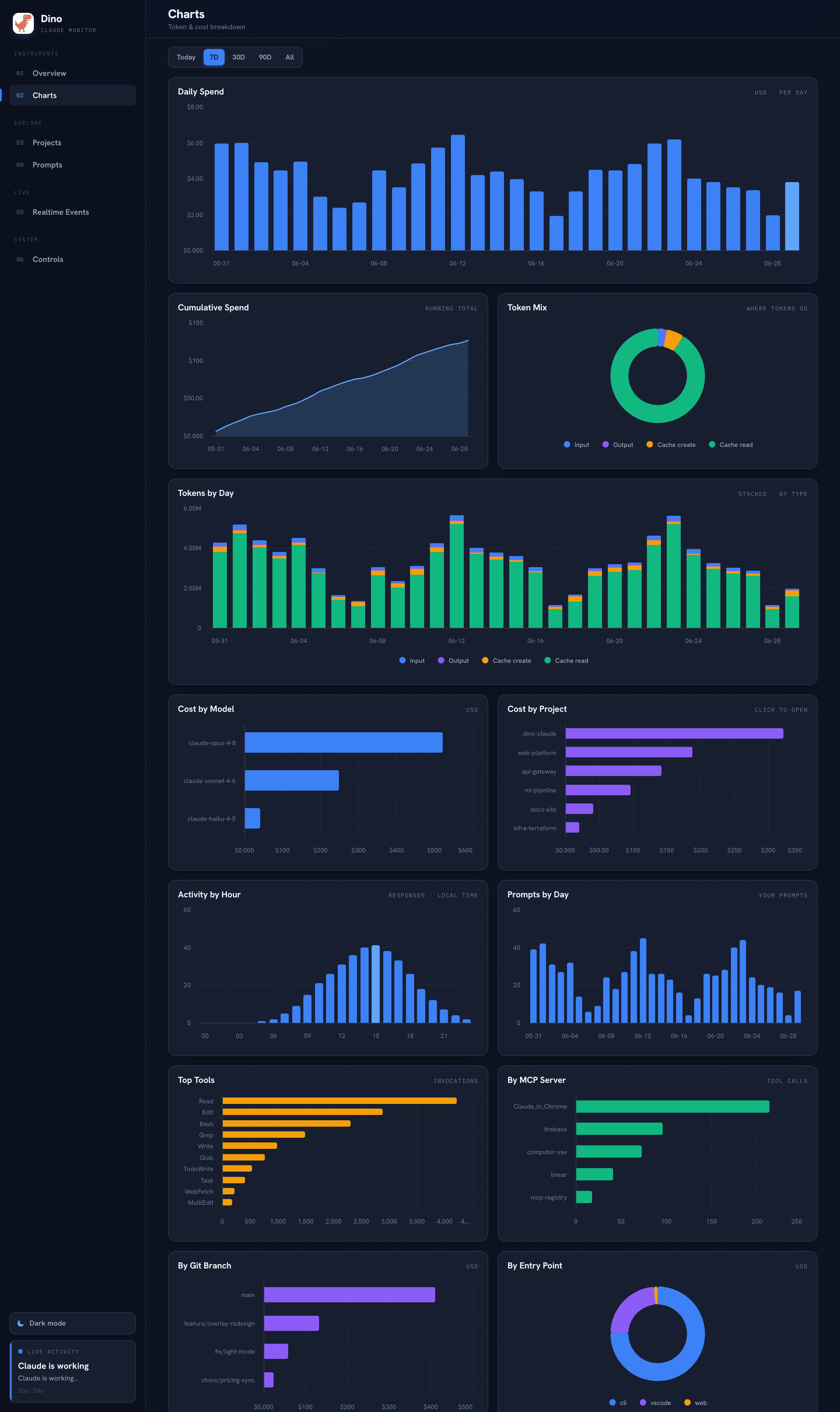
Daily spend, token mix, cumulative burn, activity-by-hour, top tools and MCP servers — crisp interactive charts you can actually read.
Everything runs on your machine. No accounts, no sync, no telemetry. Your prompts and code never leave your Mac.
Model prices auto-sync from the public LiteLLM catalog and recompute your cost automatically — resolved per exact model id.
The same colored status reads in your menu bar and in the overlay — so you always know whose turn it is.

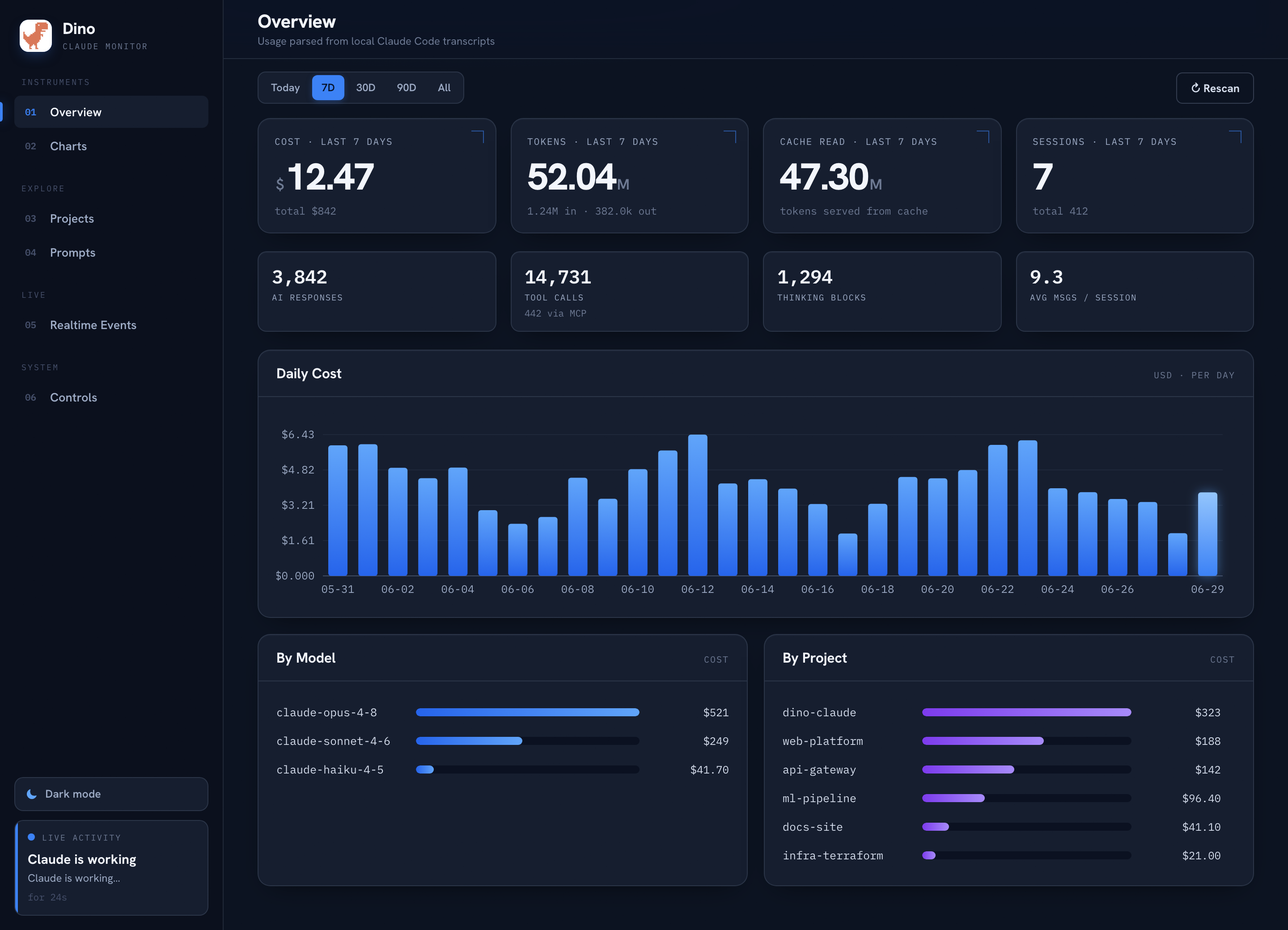
Cost and tokens front and center, daily spend, and your biggest models and projects — the numbers that matter, first.

Daily spend, token mix, cumulative burn, activity by hour, top tools, MCP servers, branches and entry points — full-width or half, however each reads best.
Paste it in your terminal — it downloads Claudino, drops it in Applications, clears the Gatekeeper quarantine, and opens it. No Homebrew, no dialogs, no dragging.
curl -fsSL https://claude.dinoboy.co/install.sh | bash/Applications · no account, no telemetry.
Uninstall (removes everything): curl -fsSL https://claude.dinoboy.co/uninstall.sh | bash
Apple Silicon · macOS 12+ · runs entirely on your Mac.
Paste the one-line curl … | bash from above (or grab the .dmg). It lands in Applications and opens straight away.
Click Enable realtime hooks on the welcome screen. Claudino adds small hooks to settings.json — backed up first, removable anytime.
Open Claude Code as usual. The menu-bar dot and overlay light up live — working, your turn, needs-you.
Free, local, and out of your way until it matters. Download Claudino and stop babysitting the terminal.
Install Claudino